Activate Advanced approval framework
A new way to set up rules for using the ExFlow Advanced approval framework to make the workflow more agile. The framework will replace the parameters in the “Approval” tab in ExFlow parameters. The setup is done through Approval workflow rule groups. The rules determine what should happen – i.e. Remove duplicates, Add parent approver and so on. The ExFlow Advanced approval workflow will still be the workflow used for the approval flow.
In ExFlow the approval engine is executed at two different actions in the ExFlow process:
- Approval – when an approver approves
- Suggest approver – when the function Suggest approvers is executed. The Approval workflow rule group gives the possibility to combine these in different ways so that you can decide when to run the approval or suggest approvers functionalities.
To activate the framework
General parameters
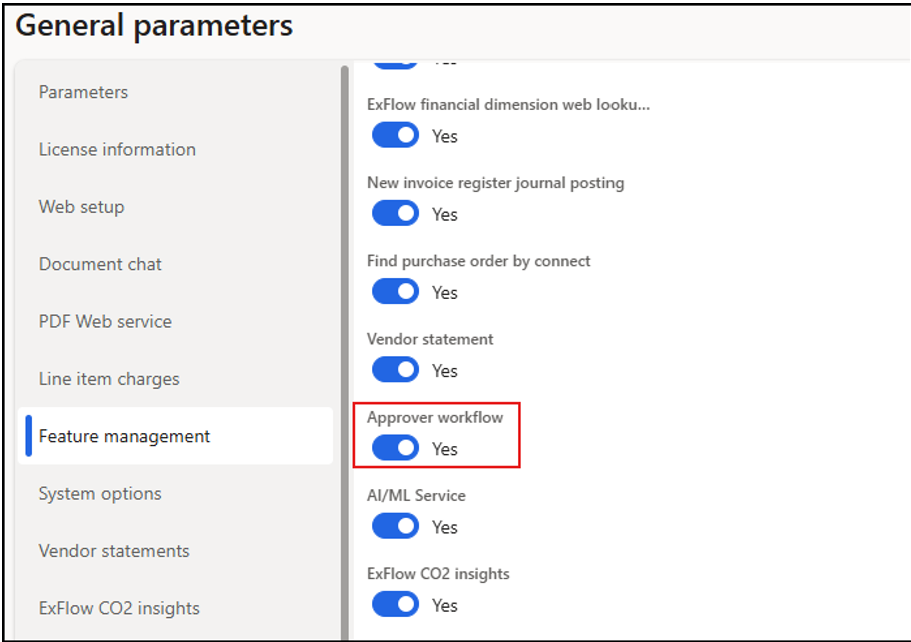
Activating the general parameter for Approval workflow will make it possible to activate this per legal entity.
- Navigate to ExFlow – Setup – General parameters – Feature management.
- Parameter to activate – “Approver workflow”.
Activate the framework for a legal entity
- Navigate to ExFlow – Setup – Parameters – tab “Approval”.
- Select "Enable Approver Workflow”.
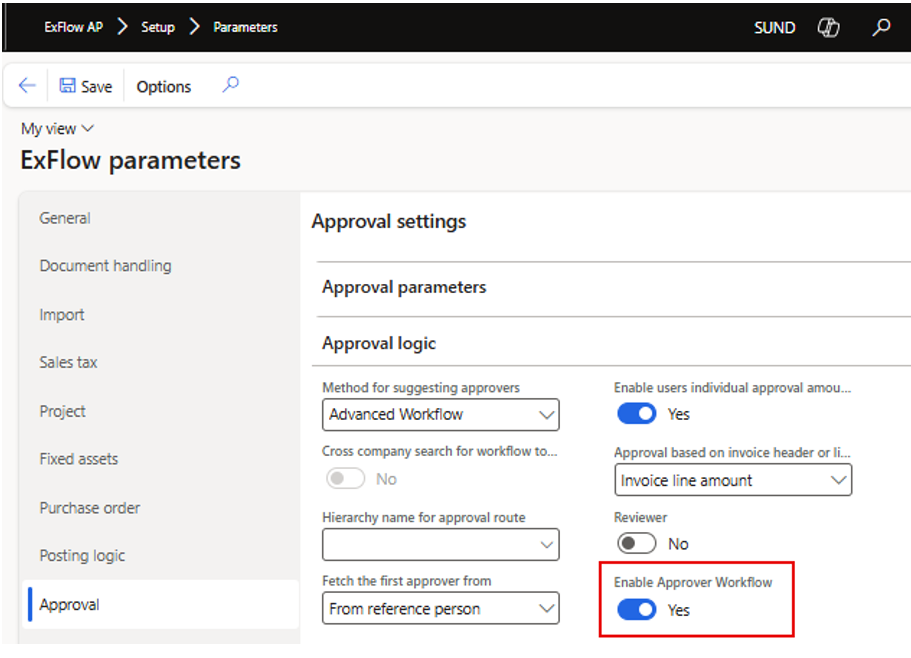
Configuration
When the Approval framework is activated, two default Approver workflow rule groups are automatically created and activated, one for Approval and one for Suggest approvers. The following parameters will be disabled and replaced by the new Approver workflow rule groups:
- Add parent approver if only one approver found
- Remove duplicate approvers
- Return only first and last approver
- Add same approver from different rule
- Keep original last approver
To view and create new Approver workflow rule groups, navigate to ExFlow – Setup – Workflows – Advanced workflow setup – Approver workflow rule groups.
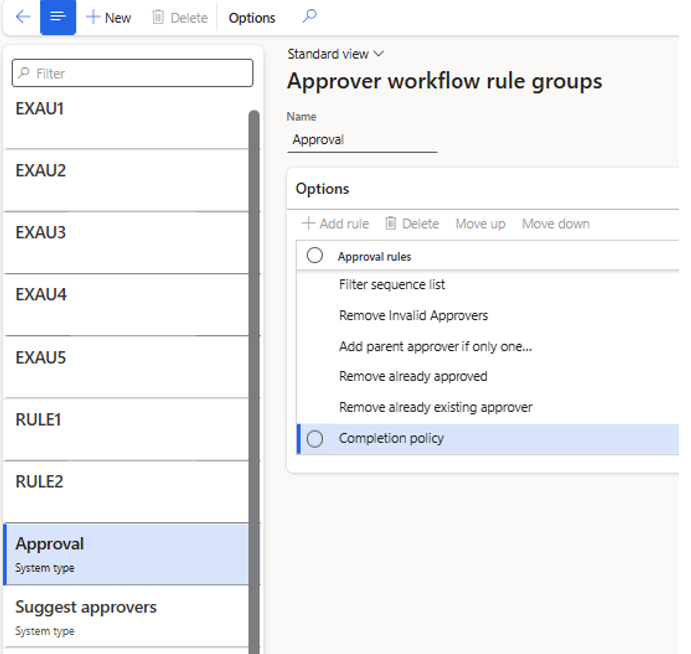
The two system generated rule groups cannot be modified, but additional rule groups can be created if needed, with different rules/rule order
- Approval – will be executed when approval is made.
- Suggest approver – will be executed when the function “Suggest approvers” is run.
The Approver workflow rule groups are assigned to companies in ExFlow AP – Setup – Global settings – Approver workflow rules. You can add both a general setup, connecting all companies to specific rule groups, and have legal entity overrides if necessary.
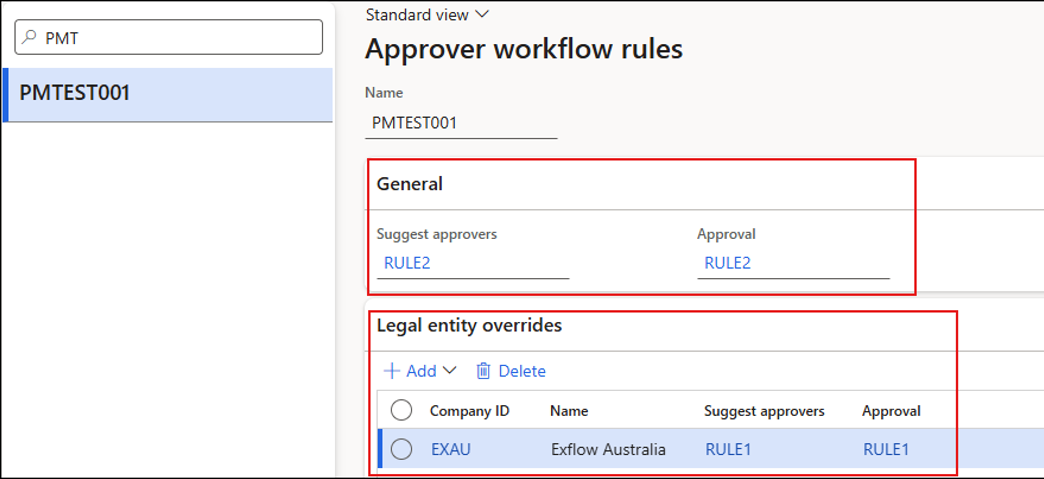
From ExFlow version 2.19, the approver workflow rules form has a toggle button for "Active" for activating the approver workflow rules. It is possible to create multiple Approver workflow rules but only one of them will be active.
User can add legal entity overrides as per individual LEs or general setup to user for all LEs.
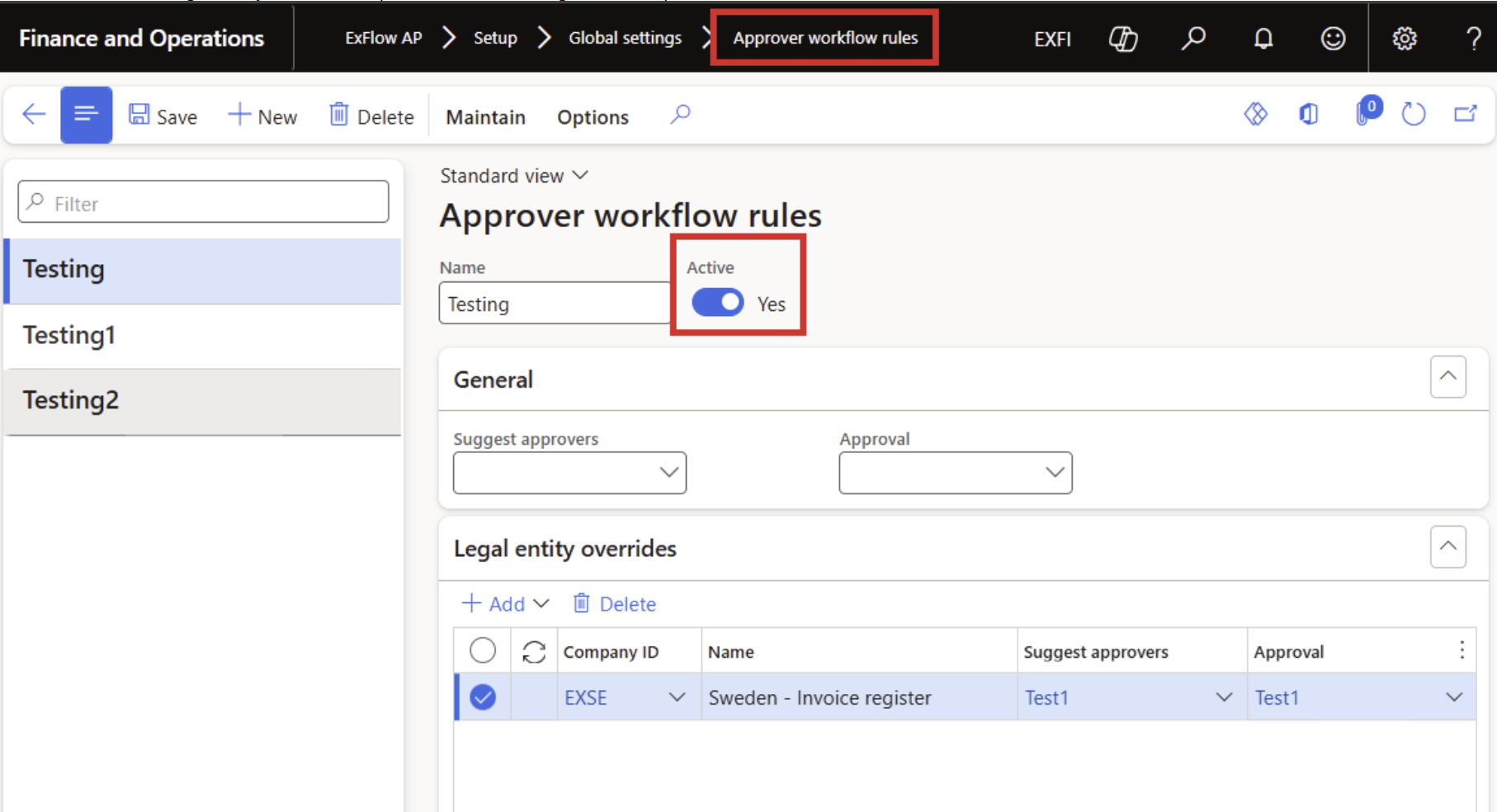
Schedule new batch job
If you are running the “Auto match purchase order invoices on arrival of goods” and is switching to the new approval framework you need to start using the new batch job and deactivating the current job:
- Auto match purchase order invoices on arrival of goods (new)
Logging
Previously logging was only available in Import form using “Suggest approver with logging”.
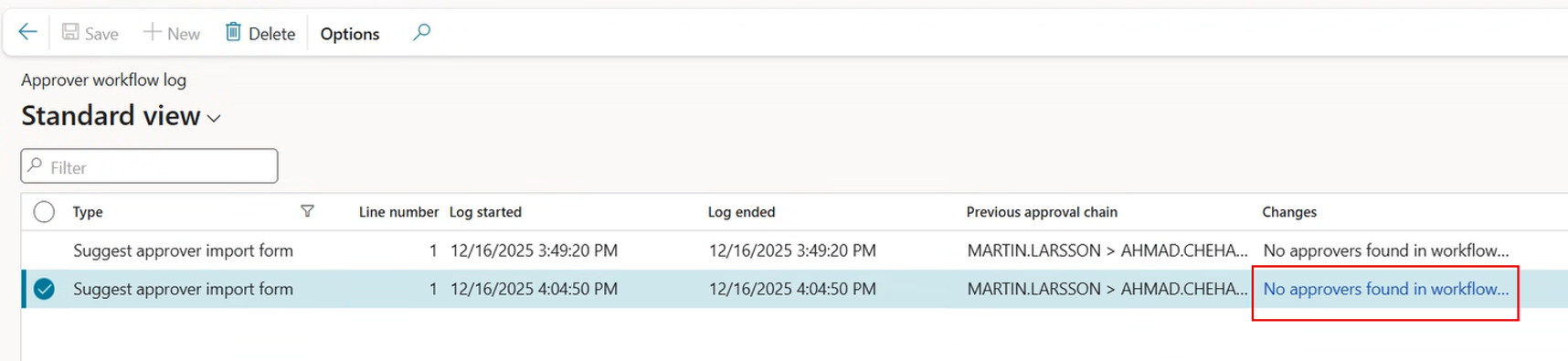
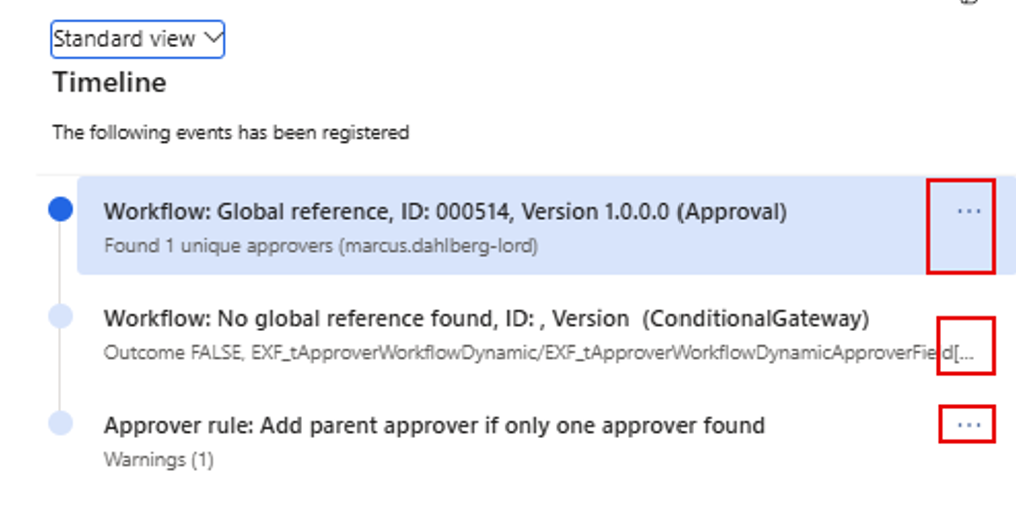
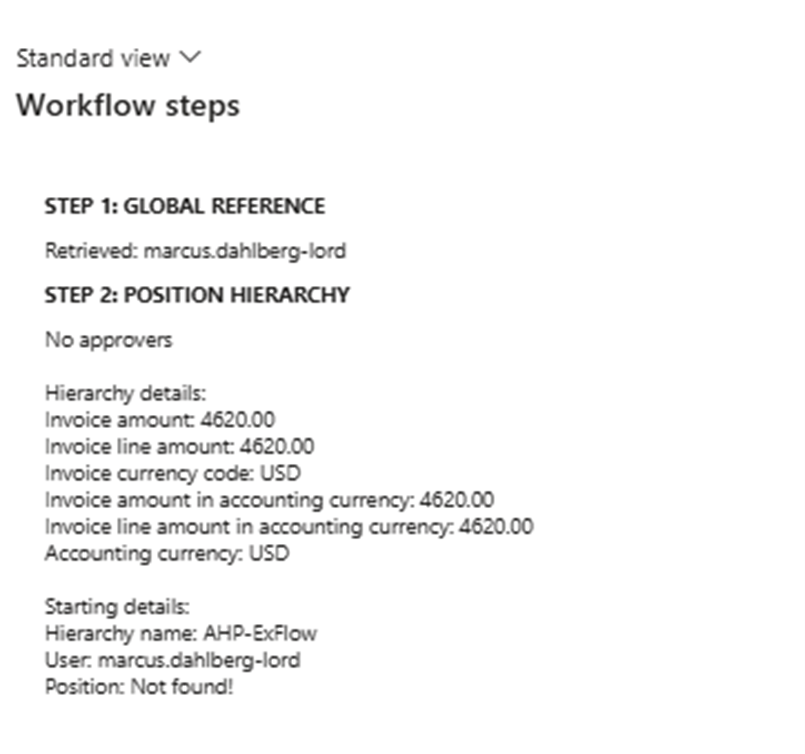
For the new framework, logging can be activated for different actions (Suggest approvers; Approval, Forwarding etc). Forwarding log can be seen under Approver workflow log-->Changes.
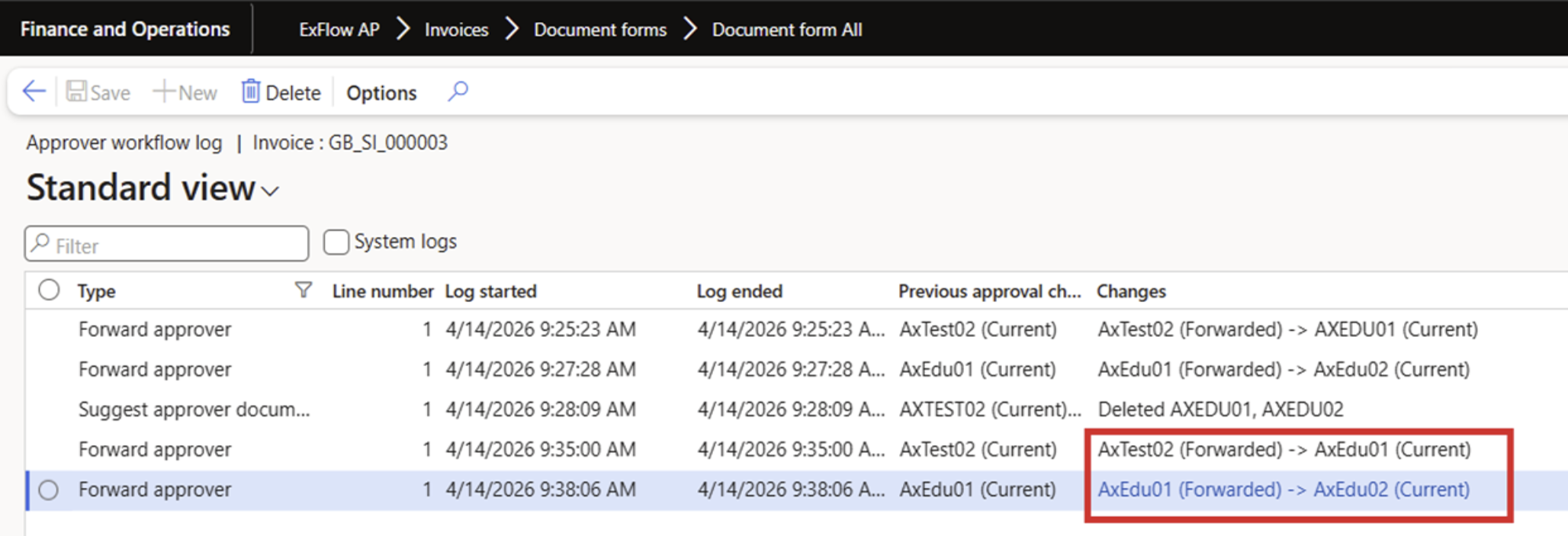
The logging is activated in:
“ExFlow > Setup > Resources > Logging > Timeline > Setup > Approver workflow log”
- Logging is done per company.
- The record for the logging is found in either
Import form under Manage – Inquiries – Approver route or in Document form under -
General – History – Approver route.